

In my previous post, I demonstrated how to use ADO.NET to connect to Teradata in your OLTP projects. In this sample, I am going to implement the same sample using ADO.NET Entity Model, Entity Framework and LINQ.
Connect to Teradata Database via .NET Data Provider
Prerequisites
- Entity Framework 5.x or any version above 3.5
- .NET Data Provider for Teradata 15.01.00.01 (http://downloads.teradata.com/download/connectivity/net-data-provider-for-teradata)
- Teradata Database 12.0 or later.
Step 1 Create ADO.NET Entity Data Model
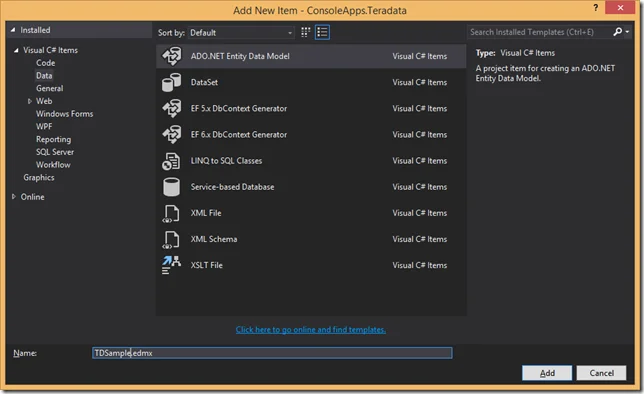
In the wizard, create ‘TDSample.edmx’ through item ‘ADO.NET Entity Data Model’.
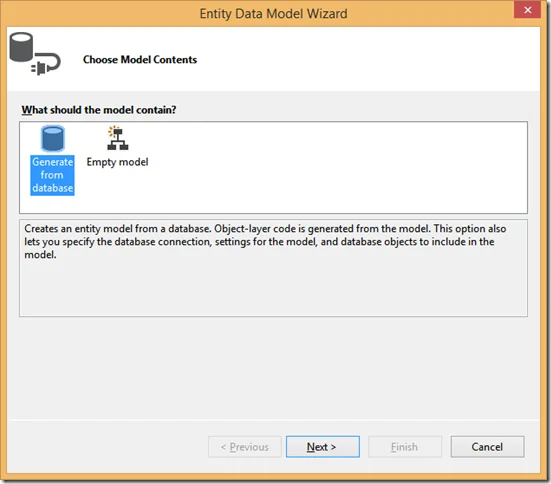
Select Generate from Database:
Create a connection to Teradata database:
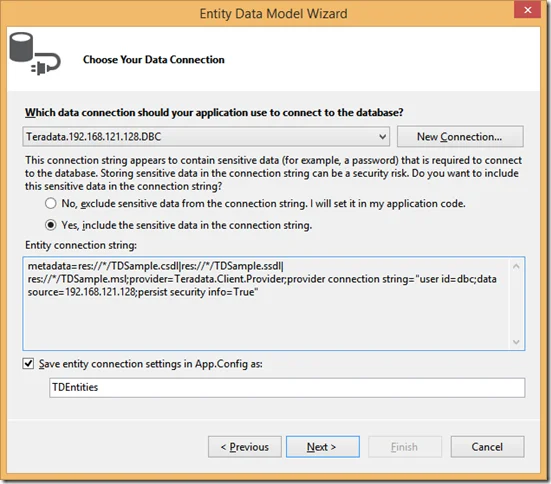
Remember to set the option ‘Use X Views’ to false and set the Database to the database you are using. I also changed the timeout options as my local VM responds slowly.
The entity connection string looks like:
metadata=res://*/TDSample.csdl|res://*/TDSample.ssdl|res://*/TDSample.msl;provider=Teradata.Client.Provider;provider connection string="connection timeout=90;database=TD_MS_SAMPLE_DB;user id=dbc;data source=192.168.121.128;persist security info=True;use x views=False;restrict to default database=True;command timeout=90"
* Change the server and user id/password to yours.
Click next to choose the entity framework version.
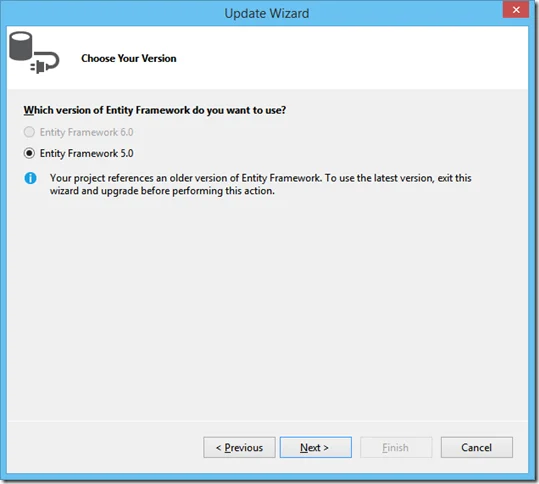
And then choose the right tables required.
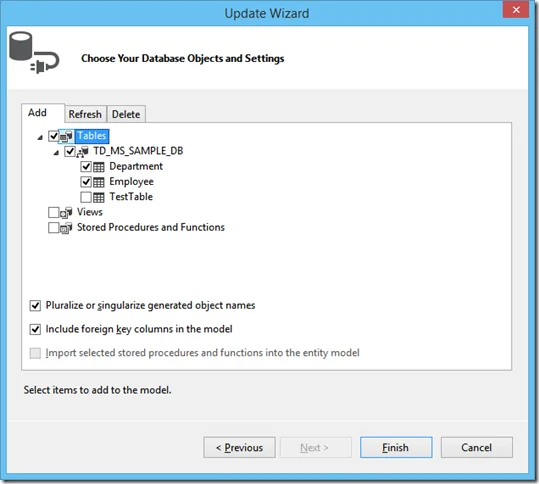
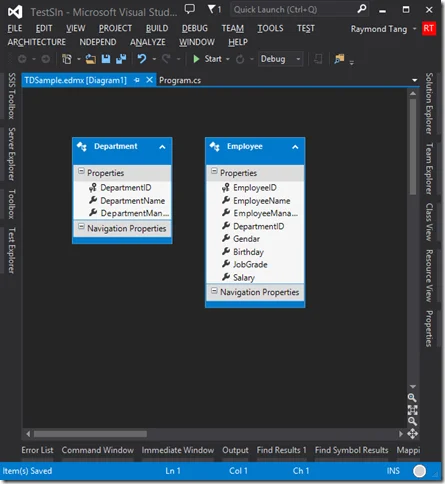
Click Finish button to close the wizard. In my sample, the model has two tables added.
Step 2 LINQ to Teradata
With the generated entity objects, it will be very straightforward to query from the database.
The sample code looks like:
static void Main(string[] args)
        {
            DisplayEmployeeInfoFromTeraData2();
            Console.ReadLine();

        }

        private static void DisplayEmployeeInfoFromTeraData2()
        {
            var db = new TDSampleContainer();
            var query = from emp in db.Employees.AsQueryable()
                        select new
                        {
                            EmployeeID = emp.EmployeeID,
                            EmployeeName = emp.EmployeeName,
                            EmployeeSalutation = emp.Gendar == "M" ? "Dear MR " + emp.EmployeeName :
                                      "Dear MS " + emp.EmployeeName
                        };
            foreach (var e in query)
            {
                Console.WriteLine("EmployeeID = {0}", e.EmployeeID);
                Console.WriteLine("EmployeeName = {0}", e.EmployeeName);
                Console.WriteLine("Employee Salutation = {0}", e.EmployeeSalutation);
                Console.WriteLine();
            }

            Console.WriteLine("{0} Records", query.Count());
        }
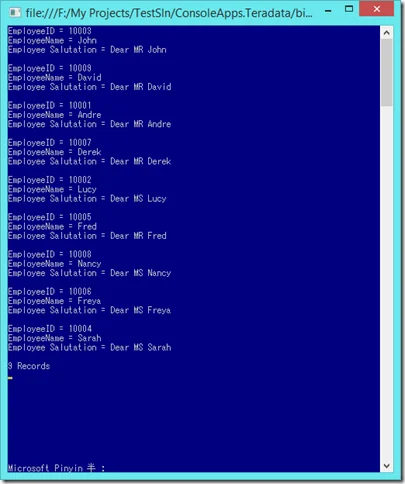
The result
Summary
With .NET Data Provider for Teradata, you can easily operate on the database with Linq. If you want to learn more about LINQ, please visit the following link: