Teradata published an official Python module which can be used in DevOps projects. More details can be found at the following GitHub site: https://github.com/Teradata/PyTd
Install Teradata module
If pip is installed, you can directly install this module through the following command:
pip install Teradata
If not, you can download the package in the following URL:
https://pypi.python.org/pypi/teradata
After downloading, unzip the package and then use command prompt to navigate to the directory that containssetup.py file and then run the following command to install:
python setup.py install
Sample Code
"""Test teradata driver"""import teradataimport sysudaExec = teradata.UdaExec(appName="HelloWorld", version="1.0", logConsole=False)session = udaExec.connect(method="odbc", dsn="td16vm",username="dbc", password="dbc", autocommit=True,transactionMode="Teradata")for row in session.execute('select getqueryband();'):print(row)for row in session.execute('select top 10 tablename, tablekind from dbc.tables;'):print(row)session.close()input('Type <Enter> to exit...')
Details about the sample code
When connecting to Teradata, the following parameters can be configured:
https://developer.teradata.com/tools/reference/teradata-python-module#ConnectParametrs
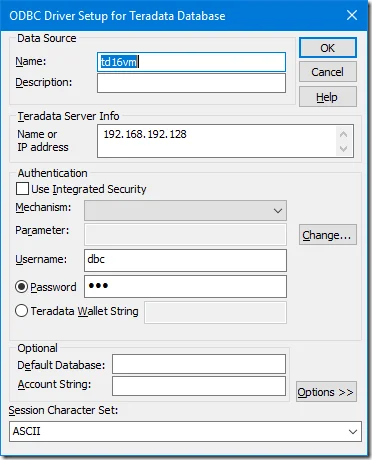
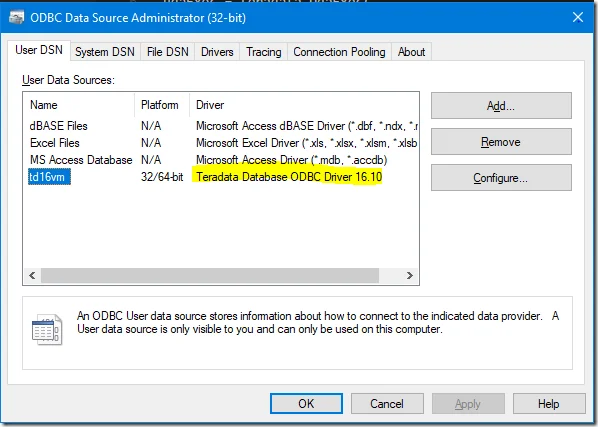
In the sample code, transaction mode is set as Teradata; auto commit is set as True (transactions will be committed automatically); connecting method is ODBC (the other options is REST), DSN is using td16vm which was setup using the following parameters in my computer:
Setup your own Teradata virtual machine
If you have no Teradata instance, you can setup one following this post:
Install Teradata Express 15.0.0.8 by Using VMware Player 6.0 in Windows
Sample code result
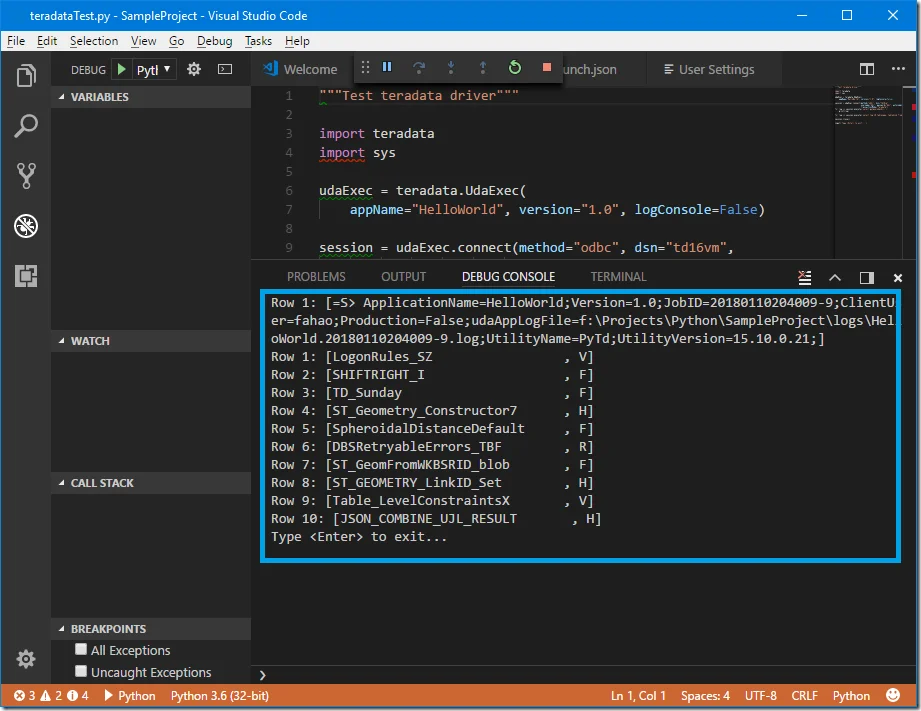
The following screenshot shows the running result in my IDE (Visual Studio Code):